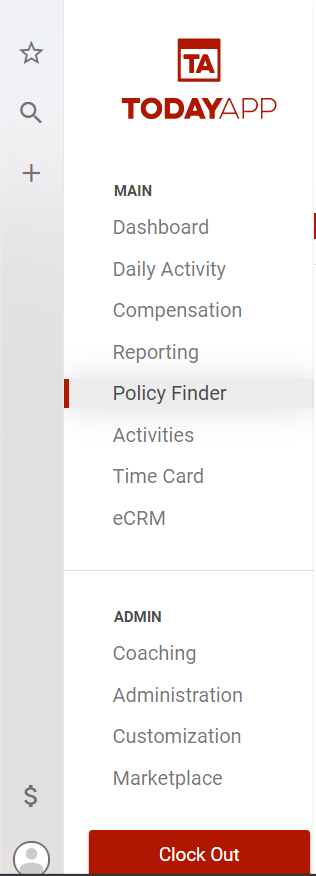
If you want to find a policy to change the status (quoted, written, issued) or edit the other information for the household or that specific policy, from the main menu select Policy Finder.
In the Policy Finder, you can search for a policy by household name, or you can use the other filters to find the policy you would like to change.
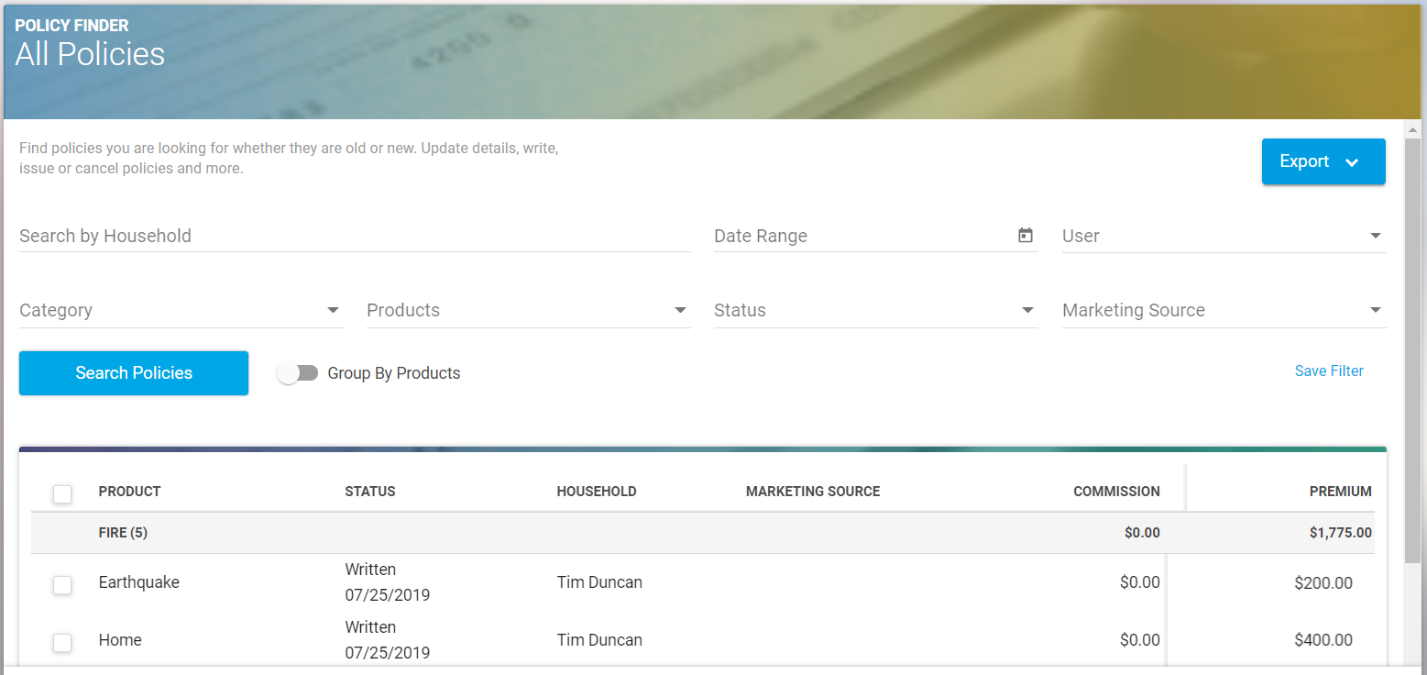
Once you find the policy that needs to be updated, click on the policy from the list.
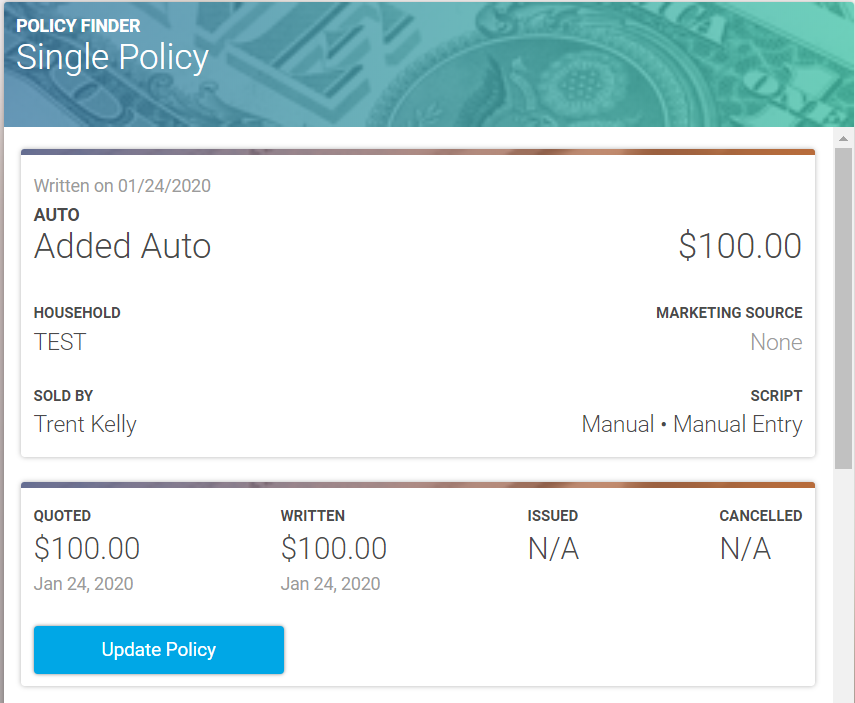
You will see a box that says Update Policy in blue, which you can select. You will then be prompted to follow three steps to update the policy status, date and premium amount, if necessary.
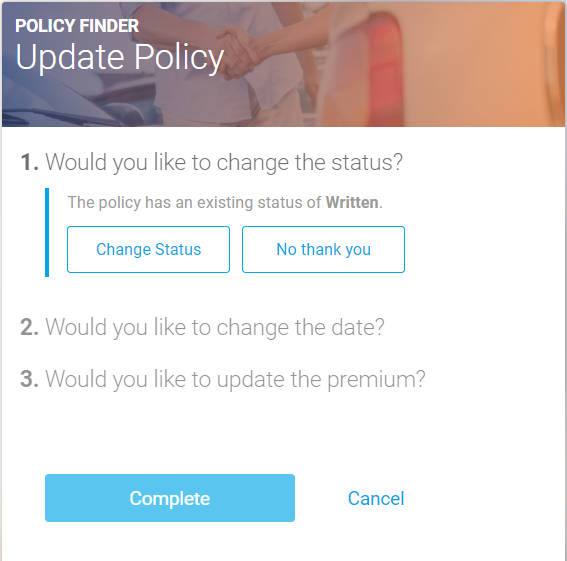
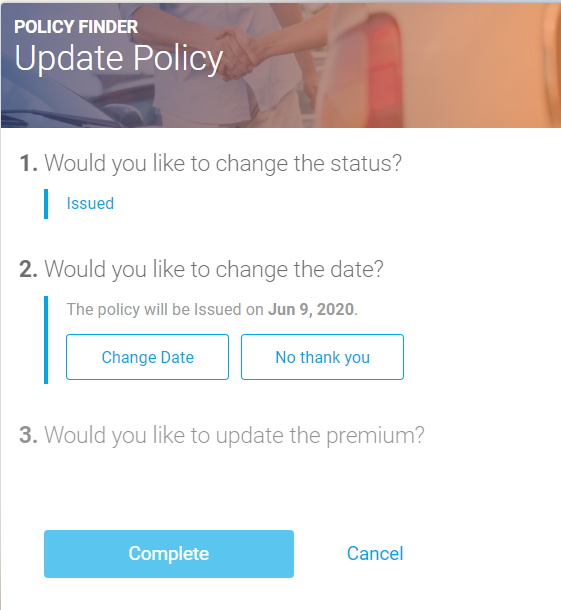
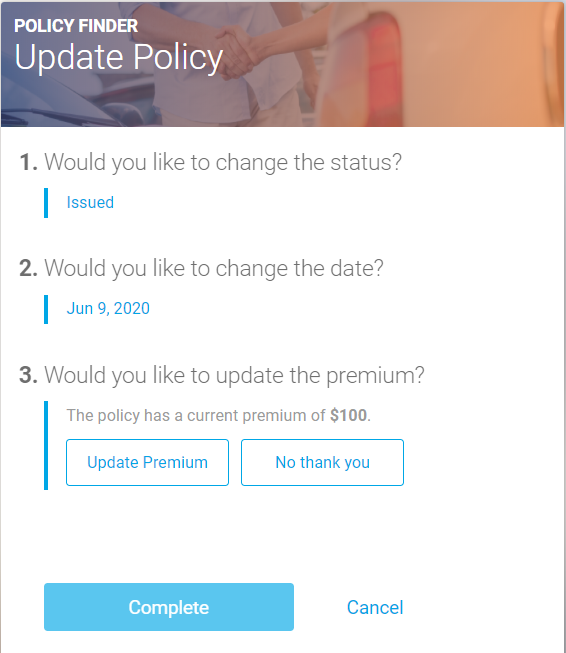
Once you have made the necessary selection for all three options, you will be able to select the Complete button at the bottom and the policy will be updated.

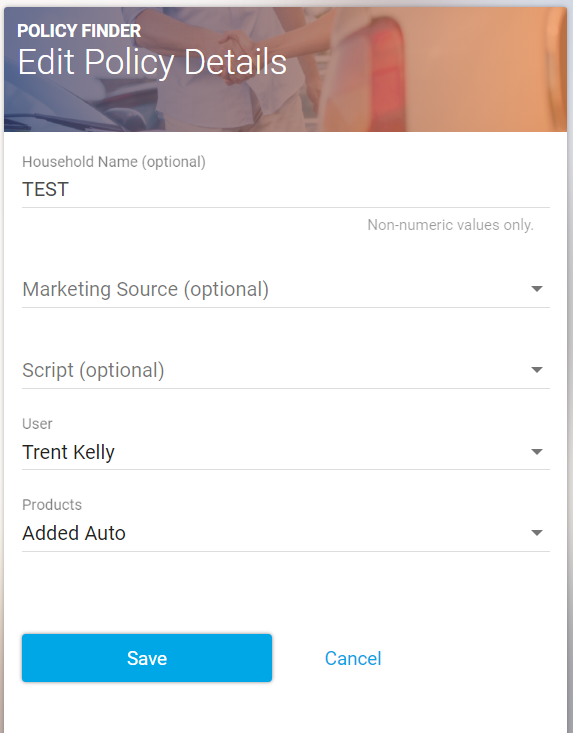
If you need to update other information for a policy such as the household name, marketing source or product selected, you will click on the three small dots in the upper right-hand corner of the policy page and select Edit Details.
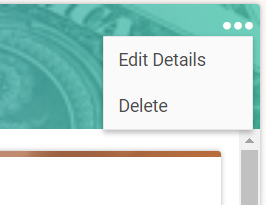
You will then have the option to update the necessary information for the policy, and hit Save at the bottom once you are done.