

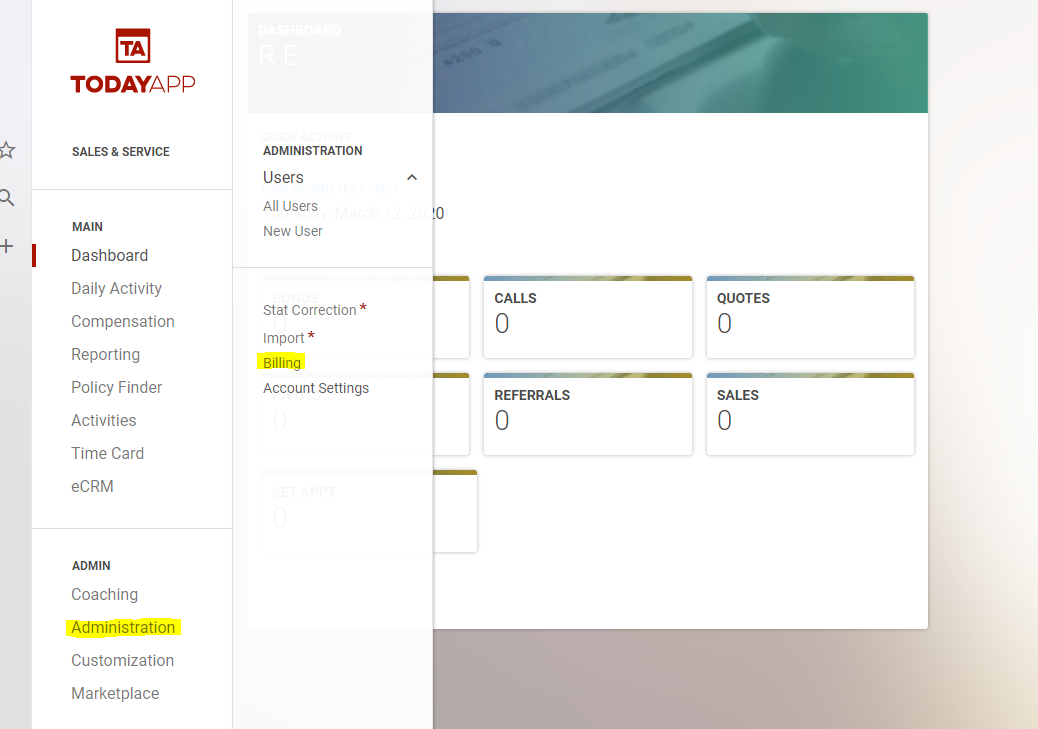
First step to changing your card is to go to the billing page, under Administration > Billing. This will take you to the Current Subscription Page.
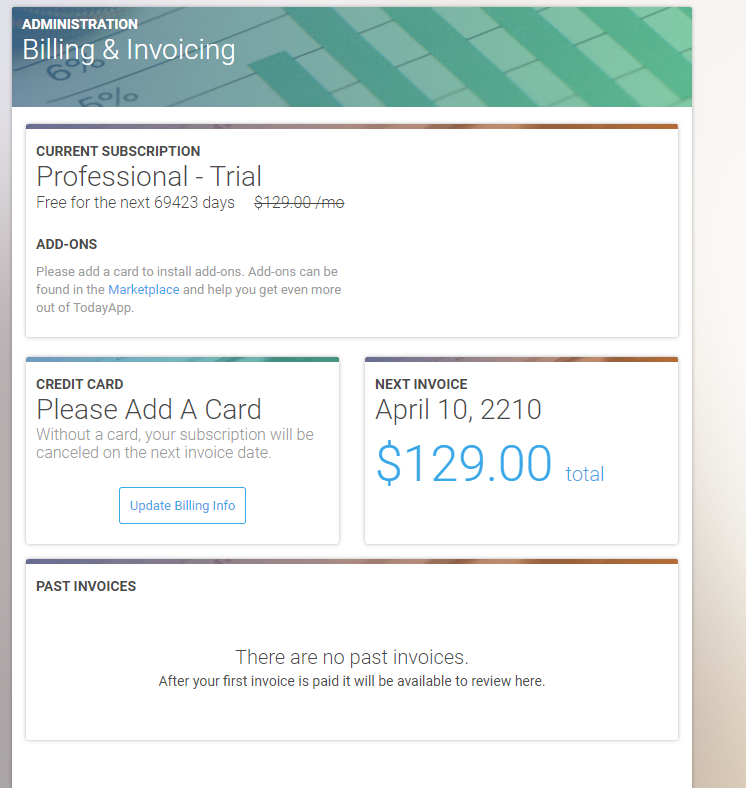
Once you are on the Billing Page you need to click on the "Update Card" button.

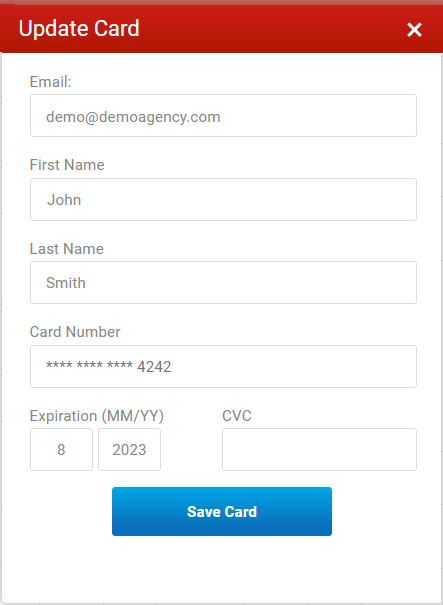
This will pull up a form for you to edit or change the information on the currently billed card. When you are finished hit "Save Card".
After clicking the button, the card will be updated, and you will be redirected back to the Current Subscription Page.