Logo

Need help? You're in the right place.

Get help straight from the TodayApp team...

Agent/Admin Getting Started

Pin TodayApp To Taskbar

Last updated on 05 Apr, 2023

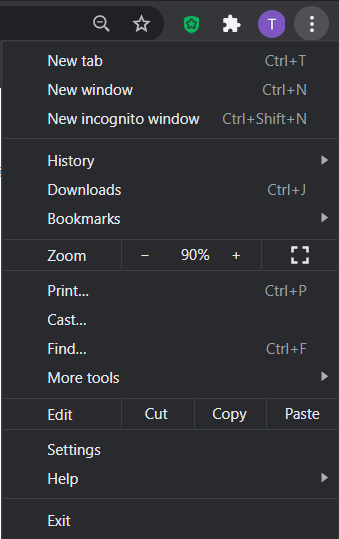
When you have the app open in Chrome, click on the three vertical dots under the "X" in the browser.


Image


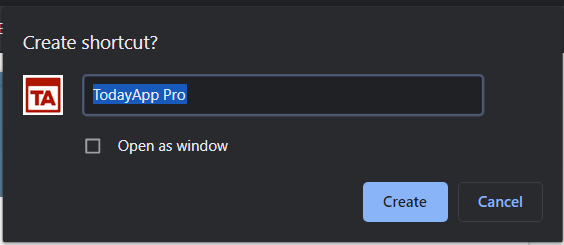
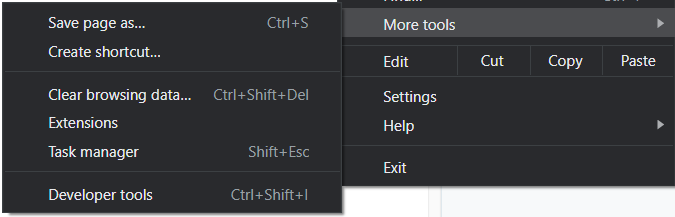
Select More Tools>Create Shortcut>Create.


ImageImage


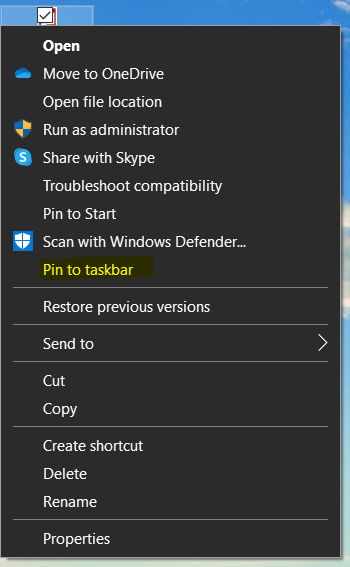
This will add an icon to the desktop. Now right click on the icon and select "Pin to Taskbar" to add it to your Windows Taskbar.


Image


Did you find this article helpful?
Previous

Apple Mobile App

Next